Printable goal tracker template PDF, A4
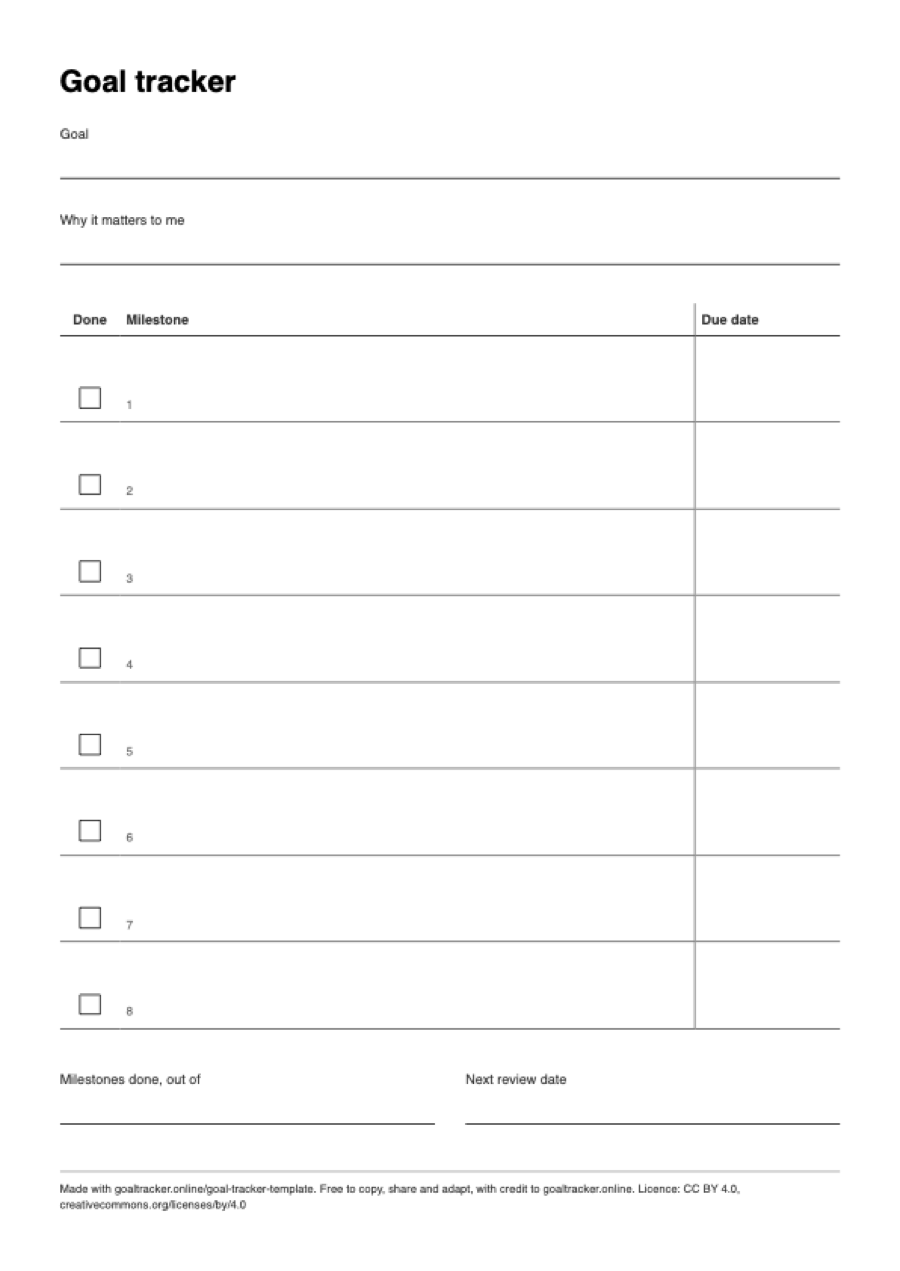
A blank one-page goal tracker to fill in by hand: one goal, why it matters, and 8 milestones, each with a tick box and a due date. Nothing to sign up for.
One page, 210 × 297 mm (8.27 × 11.69 in). Need the other size? Goal tracker PDF, US Letter.
What is on the sheet
- A line for the goal and a line for “Why it matters to me”.
- A table of 8 numbered rows with three columns: a “Done” tick box, the milestone, and a due date.
- A line for “Milestones done, out of” and a line for “Next review date”.
- A small credit line at the bottom. There is no logo or colour on the sheet.
On A4 the milestone column is about 13 cm wide, enough for a full sentence per row.
How to print it on A4 paper
A4 is 210 × 297 mm (8.27 × 11.69 in), the standard paper size in most countries outside North America. The file is one portrait page with 14 mm margins, which leaves a printable area 182 mm wide.
- Open the PDF and choose Print.
- Set the paper size to A4 and the scale to 100% (some print dialogs call it “Actual size”). “Fit to page” also works, but shrinks the sheet slightly.
- Print in portrait. The sheet is black and white, so a mono printer or the greyscale setting is enough.
For a planner or notebook, print it at 71% on A5 paper: A5 has the same proportions as A4, so nothing is cut off. At 141% the same file fills an A3 sheet for a wall.
If your printer holds US Letter paper, use the Letter file instead. An A4 page printed on Letter paper is either scaled down or loses its bottom edge, because Letter is 18 mm shorter. Get the US Letter version.
How to fill it in
- Write one goal on the first line, with a number or a finish line in it: “save 3,000 by June”, “run 10 km without stopping”.
- Write one sentence on why it matters. It is the line you will reread when a milestone slips.
- Split the goal into up to 8 milestones, in the order you would do them, each one a result you could show somebody. You do not have to use all 8 rows.
- Give each milestone a due date. If you cannot date the later ones yet, date the first two and fill in the rest at your next review.
- Tick a milestone when it is done, write how many are done out of how many you set, and choose the next review date. Once a week is a good default.
Paper or screen
The online goal tracker template lets you type the goal and milestones, then print the filled-in sheet, download it as Markdown, or download a file the tracker can import. Open the online goal tracker template. It runs in your browser and nothing you type is sent anywhere.
To check steps off day by day and keep a streak, use the free goal tracker: no account, and your goals stay on your device.
Questions
How many goals fit on one sheet?
One goal with up to 8 milestones. Print one sheet per goal; three sheets at once is plenty for most people.
What if my goal has more than 8 milestones?
Group them into 8 or fewer stages on this sheet, or split the goal in two. In the online tracker a goal can hold any number of subgoals, and each subgoal its own smaller steps.
Can I type into the PDF?
No. The file is a flat page for printing and writing on, not a fillable form. To type instead, use the online goal tracker template, which can be printed when it is filled in.
Reuse
Free to copy, share and adapt, including in a classroom, a workshop or a newsletter, as long as you credit goaltracker.online. The licence is CC BY 4.0, and the credit line is already printed at the foot of the sheet.
More blank PDFs on A4
- Mandala chart PDF, A4
- 30-day habit tracker PDF, A4
- Eisenhower matrix PDF, A4
- Weekly review PDF, A4
- Daily planner PDF, A4
Related: how to break a big goal into subgoals, six ways to measure goal progress, all free tools and templates.