Blank mandala chart PDF, A4
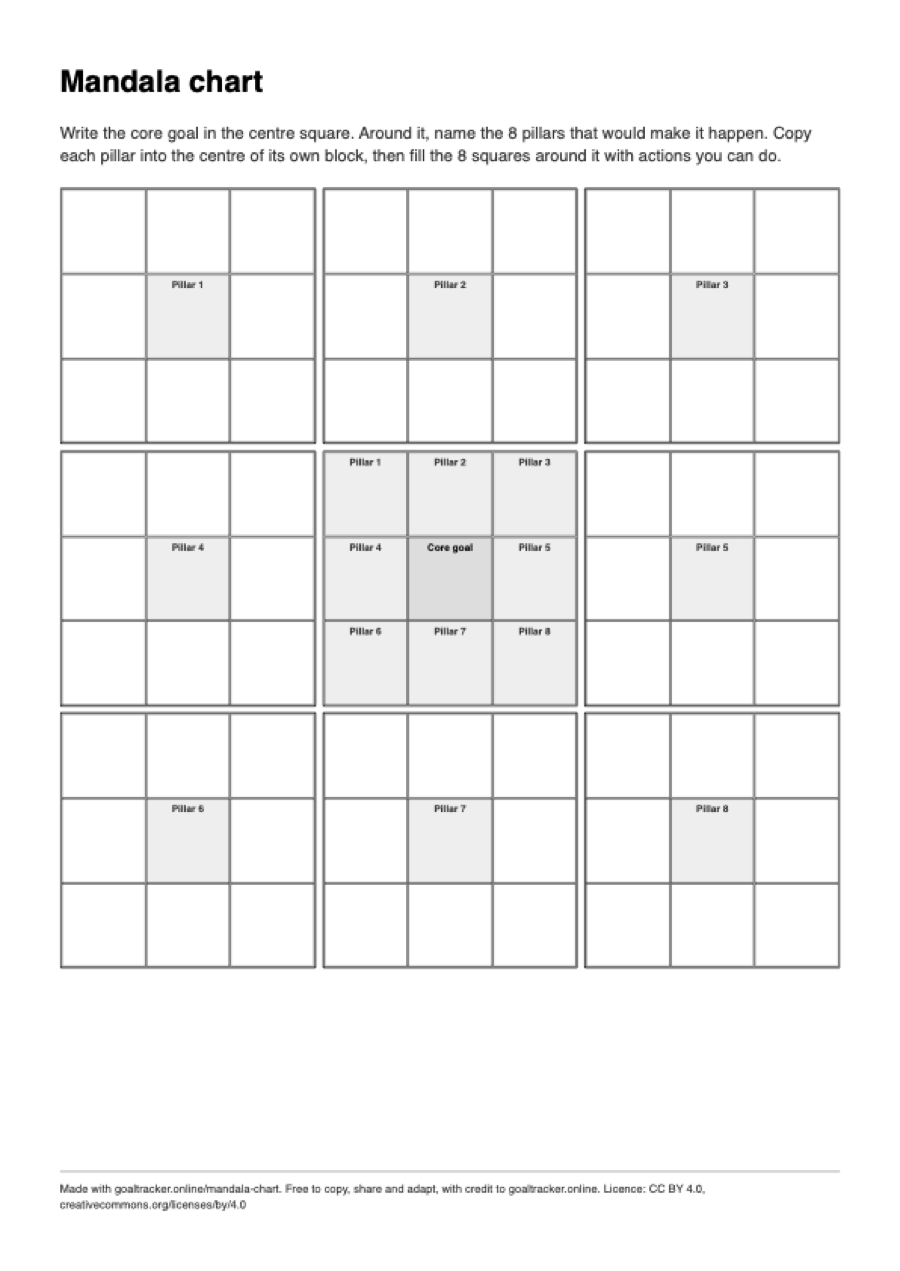
A blank 9×9 mandala chart (also called a Mandalart, or the Ohtani chart) to fill in by hand: one core goal in the middle, 8 pillars around it, and 8 actions for each pillar. One page, nothing to sign up for.
One page, 210 × 297 mm (8.27 × 11.69 in). Need the other size? Mandala chart PDF, US Letter.
What is on the sheet
- A 9×9 grid of 81 squares, drawn as nine 3×3 blocks with a heavier outline around each block.
- The centre square is shaded and labelled “Core goal”.
- The 8 squares around it are shaded and labelled “Pillar 1” to “Pillar 8”. The centre square of each outer block carries the same label, so you can see which block belongs to which pillar.
- The other 64 squares are empty, one for each action.
- Two lines of instructions above the grid and a small credit line at the bottom.
On A4 the grid is 182 mm wide, which makes each square about 2 cm across: room for three or four words in small handwriting.
How to print it on A4 paper
A4 is 210 × 297 mm (8.27 × 11.69 in), the standard paper size in most countries outside North America. The file is one portrait page with 14 mm margins, which leaves a printable area 182 mm wide.
- Open the PDF and choose Print.
- Set the paper size to A4 and the scale to 100% (some print dialogs call it “Actual size”). “Fit to page” also works, but shrinks the sheet slightly.
- Print in portrait. The sheet is black and white, so a mono printer or the greyscale setting is enough.
For a planner or notebook, print it at 71% on A5 paper: A5 has the same proportions as A4, so nothing is cut off. At 141% the same file fills an A3 sheet for a wall.
If your printer holds US Letter paper, use the Letter file instead. An A4 page printed on Letter paper is either scaled down or loses its bottom edge, because Letter is 18 mm shorter. Get the US Letter version.
How to fill it in
- Write the one goal you care about most in the centre square. Keep it concrete enough that you would know when it is done.
- In the 8 squares around it, name the 8 areas that would make the goal happen. For a first marathon these might be mileage, long runs, strength, sleep, food, kit, recovery and race plan.
- Copy each pillar into the centre of the outer block that carries its number.
- Fill the 8 squares around each pillar with actions you can do, worded as things to do rather than outcomes: “run 3 times a week”, not “get fitter”.
- You do not need all 64 on the first day. Fill the pillars you are sure of and come back to the rest.
Paper or screen
The online mandala chart copies each pillar to its own block as you type, can load Shohei Ohtani’s chart as an example, and downloads as Markdown or as a file the tracker can import. Open the online mandala chart. It runs in your browser and nothing you type is sent anywhere.
To check steps off day by day and keep a streak, use the free goal tracker: no account, and your goals stay on your device.
Questions
How many squares does a mandala chart have?
81: one core goal, 8 pillars, the 8 pillars repeated in the centre of their own blocks, and 64 actions.
Can I type into the PDF?
No. The file is a flat page for printing and writing on, not a fillable form. To type instead, use the online mandala chart, which copies each pillar to its block for you and can be printed or downloaded when it is filled in.
Is this the chart Shohei Ohtani used?
It is the same 9×9 layout. Ohtani filled one in as a high-school player. The online version of this page’s chart can load his as an example.
Reuse
Free to copy, share and adapt, including in a classroom, a workshop or a newsletter, as long as you credit goaltracker.online. The licence is CC BY 4.0, and the credit line is already printed at the foot of the sheet.
More blank PDFs on A4
- 30-day habit tracker PDF, A4
- Goal tracker PDF, A4
- Eisenhower matrix PDF, A4
- Weekly review PDF, A4
- Daily planner PDF, A4
Related: three filled-in mandala chart examples, how to break a big goal into subgoals, all free tools and templates.